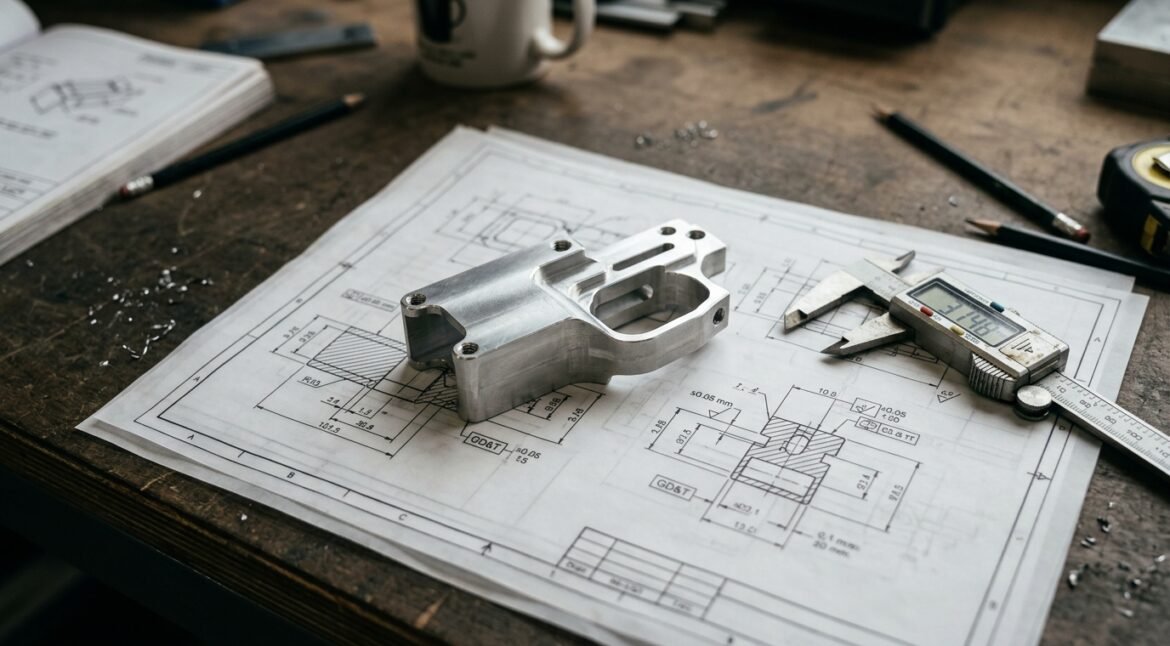
When an OEM brand submits CAD files for a custom airsoft magazine well, gas block, or slide plate, the quality of those files directly determines the speed, accuracy, and cost of the resulting CNC machined parts. A well-prepared drawing package eliminates ambiguity, prevents costly rework, and gets your product to market faster.
Unfortunately, many first-time accessory designers submit incomplete or ambiguous drawings — missing GD&T callouts, unspecified thread specifications, or overly tight tolerances that drive up cost without adding value.
This guide walks through exactly what OEM designers need to include in their CAD drawing packages when submitting airsoft accessories for CNC production.
The Complete Drawing Package: What to Submit
Every RFQ for CNC machined airsoft accessories should include three deliverables.
1. 3D CAD Model (STEP Format)
A native 3D model is the single most important file in your submission. The CNC programmer imports this directly into CAM software to generate toolpaths.
File format: STEP (.stp or .step) — universal format compatible with all major CAD and CAM systems. Alternatives: IGES (.igs), Parasolid (.x_t). Avoid: STL files — mesh format unsuitable for CNC toolpath generation.
Model quality checklist:
- Model must be a solid body, not a surface or mesh
- All features at final dimensions — do not include machining allowance in the model
- Threaded holes modeled as pilot holes
- Fillets and chamfers included where specified
- Part oriented in logical machining coordinate system
2. 2D Engineering Drawing (PDF)
The 2D drawing serves as the legal manufacturing document specifying critical dimensions, tolerances, material, finish, and notes. Include a title block with part name, revision, date, and material callout.
Critical Dimensions and Tolerancing
CNC machining from solid billet aluminum achieves +/-0.01mm on most features. But applying +/-0.01mm to every dimension is unnecessary and will inflate cost. Be surgical:
| Feature Type | Recommended Tolerance | When to Tighten |
|---|---|---|
| Overall envelope (L x W x H) | +/-0.1mm | N/A — reference only |
| Mating surface (fit to frame) | +/-0.02mm | +/-0.01mm if interference fit critical |
| Magazine well opening | +/-0.03mm | +/-0.01mm for premium fit |
| Pin holes (alignment pins) | +0.02/-0.00mm | H7 tolerance standard |
| Threaded hole position | +/-0.05mm | +/-0.03mm for multi-hole patterns |
| Cosmetic features | +/-0.1mm | N/A — visual only |
| Gas block bore diameter | +0.02/-0.00mm | Non-negotiable for AR15 |
Using GD&T Correctly
For airsoft accessories, the most relevant GD&T symbols:
- Position: For hole locations relative to datum features
- Flatness: For mating surfaces that must sit flush against the receiver
- Perpendicularity: For bores that must be perpendicular to mounting face (gas block bore to barrel)
- Profile of a surface: For complex contour surfaces that interface with the frame
Example GD&T Callout
Flatness: 0.03mm
Perpendicularity: 0.03mm relative to Datum A (magazine insertion axis)
Material Specification
Your drawing must clearly state aluminum alloy and temper. See our guide: 6061 vs 7075 Aluminum for Airsoft Accessories.
| Alloy & Temper | Typical Applications | Hardness (HB) |
|---|---|---|
| 6061-T6 | Magwells, slide plates, rail covers, cosmetic parts | 95 |
| 7075-T6 | Gas blocks, charging handles, high-stress components | 150 |
| 7075-T651 | Stress-relieved — precision structural parts | 150 |
Material Callout Format on Drawings
Material: Aluminum Alloy 6061-T6 per ASTM B221
Stock: Plate, 25mm thickness
Thread Specifications
Threaded holes must be specified completely. Simply writing “M4” leaves critical details ambiguous.
Required thread information:
- Thread size and pitch: M3x0.5, M4x0.7, M5x0.8, 6-32 UNC, 8-32 UNC
- Thread class: 6H (metric) or 2B (imperial)
- Thread depth: minimum full thread depth (typically 1.5x to 2x diameter)
- Hole type: Through or blind
Example Thread Callout
M4x0.7 — 6H
Thread depth: 8mm minimum
Hole type: Blind, 10mm deep
Qty: 2 (mirrored about centerline)
Surface Finish Specifications
Anodizing must be explicitly specified. Reference: Anodizing & Surface Finishing Guide.
Anodize per MIL-A-8625 Type II, Class 2 (dyed)
Color: Matte Black
Pre-treatment: Bead blast, fine grain
All threaded holes to be masked before anodizing
If laser engraving is required:
Laser engrave per attached artwork file (brand_logo.dxf)
Location: Per model — center of left magwell face
Post-anodizing engraving — expose bare aluminum
Common Drawing Mistakes That Delay Production
1. Over-Tolerancing
Specifying +/-0.005mm on every dimension “because that’s the CAD default” drives up cost dramatically. Only tighten tolerances on dimensions that affect fit and function.
2. Missing Datum References
No datum structure on the drawing. Always define at least three mutually perpendicular datum planes (A, B, C).
3. No Thread Depth
“M4” is not a complete thread specification. Without depth, class, and hole type, the machinist must guess.
4. Sharp Internal Corners
A rotating cutter always leaves a radius at internal corners. Either specify the minimum acceptable radius or add relief.
5. Unspecified Anodizing Masking
Anodizing adds 5-25 microns to all surfaces. Always state “Mask all threaded holes” on the drawing.
6. Inconsistent Model vs Drawing
The 3D model drives CAM toolpaths; the 2D drawing drives inspection. Discrepancies are the #1 source of non-conforming parts.
File Preparation Checklist
- ☑ 3D STEP file — solid body model, all features at final dimensions
- ☑ 2D PDF drawing — with title block, material callout, and revision
- ☑ Datum structure defined — Datum A, B, C clearly marked
- ☑ Critical dimensions toleranced — focus on fit-critical features only
- ☑ Material specified — alloy, temper, and stock form
- ☑ Threads fully specified — size, pitch, class, depth, hole type
- ☑ Surface finish called out — anodizing type, color, masking
- ☑ Laser engraving files attached — DXF or AI vector artwork
- ☑ No sharp internal corners — specify minimum radius or add relief
- ☑ Model and drawing are consistent
How Gran.my Supports Your Design Process
Our Airsoft & Rifle Accessory Parts Machining service includes complimentary DFM review on every RFQ:
- Drawing Review — Engineers examine your STEP and PDF files against the checklist above
- DFM Report — Concise report flagging tolerancing concerns and manufacturability issues before any metal is cut
- Recommendations — Alternative approaches that reduce cost without compromising function
- Revised Quotation — Firm quotation with lead time once specifications are confirmed
Learn more: CNC machining process guide.
Conclusion
Good drawings make good parts. A complete, unambiguous CAD package — 3D STEP model, 2D PDF drawing with proper tolerancing and material specification, and finishing requirements — is the single most effective way to ensure your airsoft accessories come back from the machine shop exactly as you envisioned them.
At Gran.my, we process drawing packages from OEM brands daily. Our engineering team understands the critical interfaces on AR15 and airsoft platforms and knows which tolerances matter.